
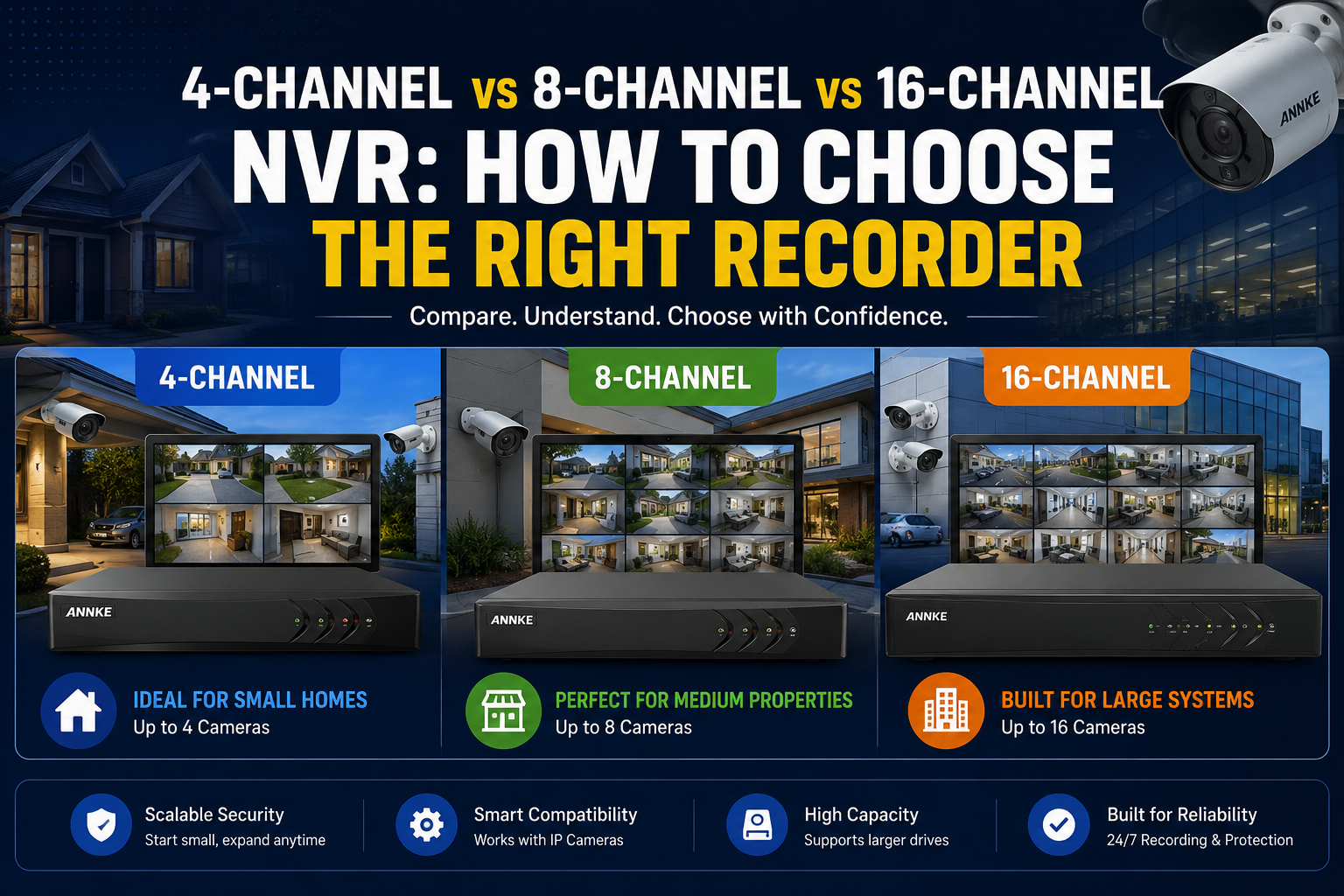
You’ve picked your cameras. Now the recorder is staring back at you with three numbers—4, 8, 16 — and no obvious way to tell which one is right. Get it wrong and you either overspend on channels you’ll never fill, or you box yourself in the day you want to add a camera over the garage. Choosing between a 4-channel vs 8-channel vs 16-channel NVR really comes down to two things: how many cameras you’re running, and how much room you want to grow. This guide walks you through both, with New Zealand homes and businesses in mind.
The short answer: match channels to cameras, not the other way around
Buy the recorder that fits your camera count with a little headroom — usually one tier up. A 4-channel NVR suits up to four cameras, an 8-channel handles up to eight, and a 16-channel covers up to sixteen. Channel count and storage are the two specs that decide whether the system actually works for you; almost everything else is secondary.
That’s the whole decision in a sentence. The rest of this page is about doing it well — sizing storage properly, avoiding the classic overbuy, and knowing when 16 channels is genuinely worth the extra cost.
What an NVR channel count actually means
A channel is one camera feed. A 4-channel NVR records four cameras, an 8-channel records eight, and so on. The number is a ceiling on how many cameras the recorder will accept and store — not a suggestion, and not something you can quietly exceed with a splitter.
An NVR (Network Video Recorder) sits at the centre of a PoE camera system. Each camera sends its video over an Ethernet cable to the recorder, which powers the camera, saves the footage to an internal hard drive, and serves it up to your phone through an app. On ANNKE’s NZ systems that’s the ANNKE Vision app, with H.265+ compression doing the heavy lifting on storage.
Channels vs PoE ports vs bays
Three numbers get muddled at the checkout, and they’re not the same thing:
- Channels — how many camera feeds the NVR can record. This is the headline number.
- PoE ports — how many cameras plug in directly for power and data. A recorder can have more channels than built-in ports; the extra channels connect through a separate PoE switch. ANNKE’s 32-channel NVR, for example, has 16 direct PoE ports and takes another 16 cameras via an external switch.
- Hard drive bays — how many drives the recorder holds, which caps your total storage. A single-bay unit tops out sooner than a dual- or quad-bay one.
If you plan to wire every camera straight into the recorder, check the PoE port count, not just the channels.
4-Channel NVR — who it’s for
A 4-channel NVR is the right call for small properties with modest coverage needs: a two- or three-bedroom home, a flat, or a single-entrance shop. It’s the most affordable tier and the simplest to set up, but four cameras is a hard limit — there’s no expanding past it.
Think about where cameras actually go on a smaller property. Front door, back door, driveway, and one wildcard (garage, side gate, or living area). That’s four, and for a lot of Kiwi homes it’s genuinely enough.
Pros
- Lowest upfront cost
- Compact, low power draw, quiet
- Quick DIY setup — fewer cables to plan
Cons
- No growth room; a fifth camera means a new recorder
- Often single-bay, so retention is more limited
- Can feel tight the moment you extend or renovate
NZ use case: A two-bedroom Auckland townhouse. One camera on the street-facing entrance, one on the rear slider, one over the carport, one covering the side path. Four channels, fully used, no waste.
8-Channel NVR — the middle ground most buyers land on
An 8-channel NVR is the popular pick for larger homes and small businesses because it covers a genuine spread of cameras without jumping to enterprise pricing. Eight feeds handle full perimeter coverage on most residential blocks and light commercial sites. It’s the tier most people don’t regret.
The reason it’s so common: four cameras often turns out to be just short, and sixteen is more than a typical home will ever use. Eight lands in the middle — enough to cover every entry point, plus a couple of interior or wide-area cameras, with a channel or two spare.
Pros
- Real headroom over a 4-channel without a big price leap
- Suits full home perimeters and small retail or office setups
- Frequently offered with dual drive bays for longer retention
Cons
- More storage demand than a 4-channel — budget for a larger drive
- You may pay for channels you don’t fill for a year or two
NZ use case: A lifestyle block near Hamilton, or a small retail unit. Four to six cameras at first — gates, sheds, shopfront, till area — with two channels held back for a future camera on the back paddock or stockroom.
16-Channel NVR — for coverage that keeps growing
A 16-channel NVR is for properties that need broad coverage now or expect to scale: warehouses, multi-building sites, larger retail floors, or big rural properties. It records up to sixteen cameras and usually comes with more drive bays for the storage all those feeds demand. The trade-offs are cost, power, and bandwidth.
This tier earns its place when you’re monitoring several zones that can’t share a camera — separate buildings, multiple car parks, a long fence line. If you’re filling twelve or more channels, or you know you’ll get there, buying 16 up front beats replacing an 8-channel later.
Pros
- Room for large, multi-zone installs
- Multiple drive bays for extended retention across many cameras
- One central recorder instead of two smaller ones
Cons
- Highest upfront cost of the three tiers
- Sixteen 4K feeds need serious storage and network bandwidth
- Overkill — and wasted money — for a standard home
NZ use case: A Christchurch warehouse with yard, loading dock, office, and internal aisles, or a farm with a main dwelling, sheds, and equipment stores spread across the site.
Side-by-side comparison table
| 4-Channel | 8-Channel | 16-Channel | |
|---|---|---|---|
| Max cameras | 4 | 8 | 16 |
| Best for | Small home, flat, single-entry shop | Larger home, small business | Warehouse, multi-building, large rural site |
| Typical cameras used | 3–4 | 5–7 | 10–16 |
| Suggested storage | 1–2 TB | 2–4 TB | 4–8 TB+ |
| Drive bays (typical) | 1 | 1–2 | 2–4 |
| Growth room | None | Moderate | High |
| Relative cost | $ | $$ | $$$ |
Storage figures assume 4K H.265+ recording with a mix of continuous and motion-triggered capture. Your actual needs shift with resolution, frame rate, and how many days you keep.
How to choose the right recorder: a 5-step method
Work through these in order and the channel count picks itself.
- Count your cameras. Walk the property and mark every spot that needs eyes on it. Be honest — not aspirational, not stingy.
- Add headroom. Take that number and round up to the next tier. Three or four cameras that might become five? Go 8-channel.
- Size your storage. More cameras and higher resolution mean bigger drives (see below).
- Check resolution and bitrate. 4K feeds eat far more storage and bandwidth than 1080p. H.265+ compression, standard on ANNKE’s NZ NVRs, cuts that load significantly.
- Confirm the PoE budget. Make sure the recorder has enough direct PoE ports for the cameras you’ll wire straight in, or plan for an add-on switch.
Don’t forget storage and retention
Camera count is only half the storage equation — resolution and retention are the other half. Sixteen 4K cameras recording around the clock will fill a drive far faster than four 1080p cameras on motion-only capture.
As a rough NZ reference, a 1–4 TB drive typically holds somewhere between 7 and 30 days of footage, depending on resolution, frame rate, and whether you record continuously or on motion. If you need a fixed retention window — say, 30 days — size the drive to the worst case (all cameras, continuous, full resolution), not the average. H.265+ compression stretches that window considerably compared with older H.264 systems.
Leave headroom for expansion
The single most useful rule here: buy one tier up from what you need today. The cost gap between a 4-channel and an 8-channel is small next to the pain of replacing a maxed-out recorder in eighteen months. Headroom is cheap insurance.
The exception is the top end. If four cameras is truly all you’ll ever run — a small flat, a rental — there’s no prize for buying 16 channels. Match the tier to a realistic future, not an imagined one.
Common mistakes NZ buyers make
- Overbuying “to be safe.” A 16-channel recorder in a three-camera home is money spent on empty channels and a bigger power bill. One tier of headroom is plenty.
- Ignoring bitrate and bandwidth. Channel count tells you nothing about whether your network and drive can handle sixteen 4K streams. They often can’t without planning.
- Mismatched PoE budget. Buying more cameras than the recorder has direct PoE ports, then discovering you need a separate switch on install day.
- Forgetting business retention needs. Retail and commercial sites in New Zealand often need footage kept for a set period for insurance or incident review. Size storage for that from the start, and check your obligations under the Privacy Act 2020 and the CCTV guidance from the Office of the Privacy Commissioner before you install.
FAQs
Can I add more cameras to my NVR later? Yes, up to the channel limit. An 8-channel recorder running five cameras has three free channels ready to go. Once you hit the ceiling, though, you’ll need a higher-channel recorder — which is exactly why headroom matters at purchase.
Does channel count affect video quality? No. Quality comes from the camera’s resolution and the recorder’s supported resolution and bitrate, not the number of channels. A 4-channel and a 16-channel NVR can both record in 4K. Channels only govern how many cameras you can run.
How many days can a 4-channel NVR record? It depends on the drive and settings, but a 1–2 TB drive on a 4-channel system commonly holds a couple of weeks or more, especially with H.265+ compression and motion-based recording. Continuous 4K on all four channels shortens that.
Is an 8-channel NVR overkill for a home? Not usually. Many NZ homes use five to seven cameras once they cover every entry point, so eight channels is a comfortable fit with a little spare. Four channels is the leaner choice if your property is small and won’t expand.
Do I need to buy a hard drive separately? Some NVRs ship with a drive installed; others expect you to add your own. Check the listing before you buy so you’re not left with a recorder and nowhere to store footage. Match the drive to your camera count and retention target.
What’s the difference between an NVR and a DVR? An NVR works with IP (network) cameras over Ethernet, typically with PoE. A DVR works with older analogue cameras over coax cable. For a new PoE camera system, you want an NVR.
Can one NVR power all my cameras? It can power the cameras plugged into its direct PoE ports. If you have more cameras than ports — or channels beyond the built-in ports — you’ll add a PoE switch to power and connect the rest.
Ready to choose your recorder?
Count your cameras, add a tier of headroom, and size your storage — then match that to the right system. If you’d like to see current 8-channel and 16-channel PoE options built for New Zealand conditions, browse the full ANNKE NZ range, all 4K with H.265+ and app-based remote viewing. Not sure which tier fits your property? The ANNKE NVR / security camera kit range and hard drive & storage sizing guide] will help you narrow it down.


 No products in the cart.