
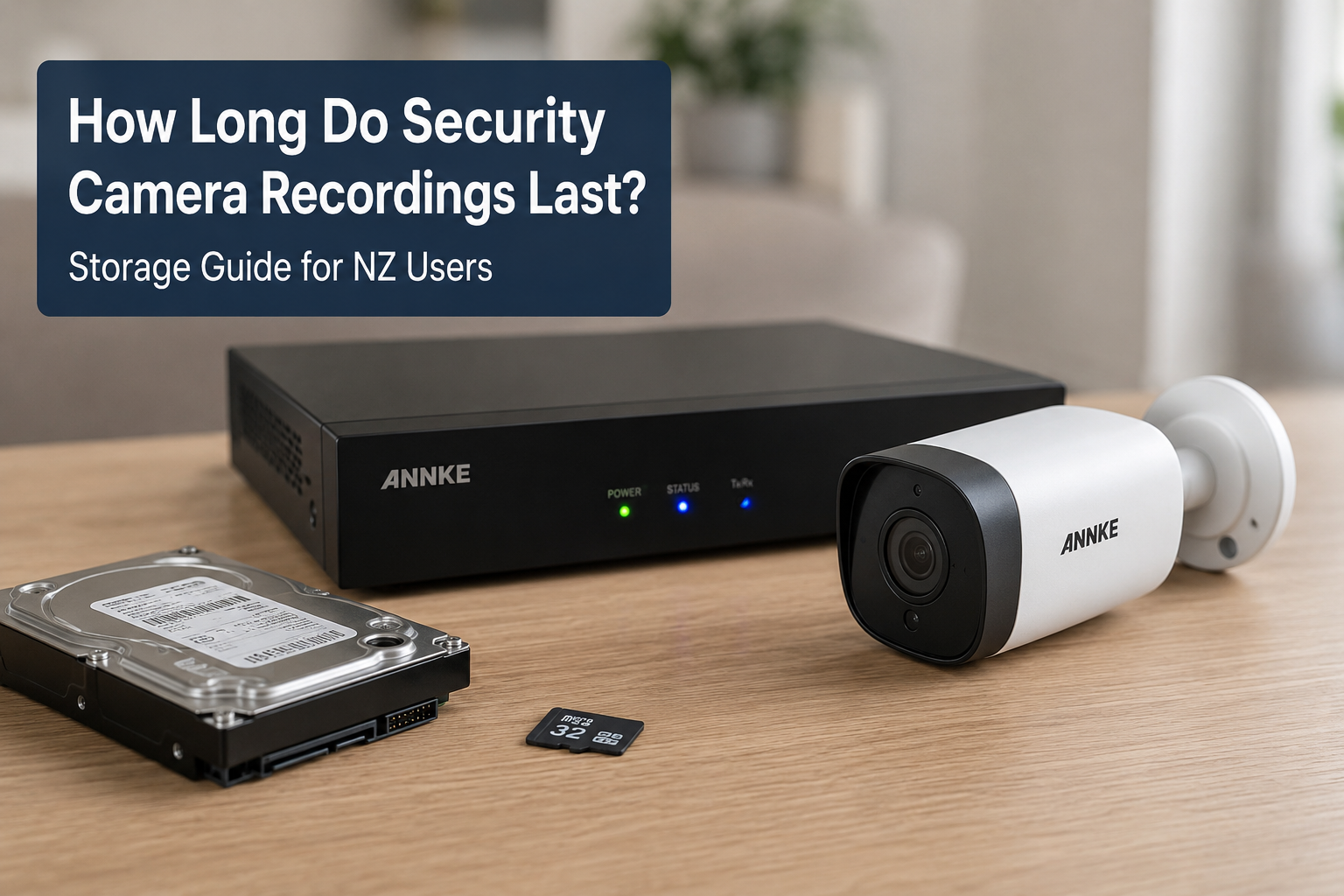
When choosing security cameras for your home or business, one of the most common questions people ask is: How long do security camera recordings actually last?
For many homeowners and businesses in New Zealand, storage duration is just as important as video quality. After all, footage is only useful if it is still available when you need it. Whether you use wired systems, cloud storage, or wireless security cameras NZ users prefer for flexibility, understanding recording retention can help you choose the right setup.
In this guide, we explain how long recordings typically last, what affects storage time, and how to maximize retention for your home security cameras NZ setup.
Understanding How Security Camera Storage Works
Security camera systems store footage in several different ways. The most common options include:
- Hard drives (HDD)
- Solid-state drives (SSD)
- Network video recorders (NVR)
- MicroSD cards
- Cloud storage
Most modern security cameras NZ households use record continuously or only when motion is detected. The storage method you choose directly affects how long recordings remain available before being overwritten.
For example:
| Storage Type | Typical Retention |
|---|---|
| 64GB SD Card | 2–7 days |
| 1TB Hard Drive | 1–3 weeks |
| 4TB NVR System | 1–2 months |
| Cloud Storage | Depends on subscription |
Factors That Affect Recording Duration for Security Cameras
Several key factors determine how long your recordings last.
1. Video Resolution
Higher resolution means clearer footage but also larger file sizes.
Typical resolutions include:
- 1080p Full HD
- 2K
- 4MP
- 4K Ultra HD
A 4K camera consumes significantly more storage than a 1080p camera.
Example
A single 1080p camera recording continuously may use:
- Around 60–100GB per day
A 4K camera may use:
- 200GB+ per day
If you install multiple ANNKE security cameras NZ users often choose for high-resolution monitoring, storage planning becomes essential.
2. Continuous Recording vs Motion Detection
Continuous Recording
The camera records 24/7.
Pros
- Captures everything
- Best for businesses and high-risk areas
Cons
- Uses much more storage
- Shorter retention period
Motion Detection Recording
The camera records only when movement is detected.
Pros
- Saves storage space
- Longer recording retention
- Easier to review footage
Cons
- May miss small events if sensitivity is poorly configured
For most residential home security cameras NZ setups, motion recording offers the best balance.
3. Number of Cameras
The more cameras connected to your system, the faster storage fills up.
Example:
| Cameras | Estimated Retention on 2TB Drive |
|---|---|
| 2 Cameras | 30–45 days |
| 4 Cameras | 14–30 days |
| 8 Cameras | 7–14 days |
Larger homes and businesses in New Zealand often require higher-capacity NVR systems.
4. Frame Rate Settings
Frame rate determines how smooth your video appears.
- 15 FPS = lower storage usage
- 30 FPS = smoother video but larger files
Most users do not need maximum frame rates for home security purposes.
5. Video Compression Technology
Modern security systems use compression standards such as:
- H.264
- H.265
- H.265+
H.265 technology can reduce storage usage by up to 50% compared to older formats while maintaining high image quality.
Many modern ANNKE security cameras NZ systems support advanced compression for better efficiency.
How Long Do Home Security Cameras Usually Store Footage?
Here is a practical estimate for average NZ households.
Small Home Setup
Example:
- 2 wireless cameras
- Motion recording
- 1TB storage
Expected retention:
Approximately 30–60 days
Medium Family Home
Example:
- 4 cameras
- Mixed day/night recording
- 2TB NVR
Expected retention:
Around 14–30 days
Large Property or Business
Example:
- 8–16 cameras
- Continuous recording
- 4TB–8TB storage
Expected retention:
7–21 days
Why Recording Retention Matters in New Zealand
For many New Zealand homeowners, footage retention becomes important for:
- Theft investigations
- Parcel theft evidence
- Vehicle incidents
- Property damage claims
- Insurance documentation
- Monitoring holiday homes
- Rural property security
Some incidents are discovered days or even weeks later. If your system overwrites footage too quickly, critical evidence may be lost.
This is why choosing the right storage capacity matters when buying security cameras NZ homeowners can rely on.
Cloud Storage vs Local Storage
Cloud Storage
Cloud systems upload recordings online.
Benefits
- Access footage remotely
- Safe if camera is stolen
- Easy backup management
Downsides
- Monthly subscription fees
- Requires stable internet
- Upload speeds may affect performance
Cloud storage is popular with wireless security cameras NZ users who want simple remote access.
Local Storage
Local systems store footage on hard drives or SD cards.
Benefits
- No monthly fees
- Faster access
- More control over recordings
Downsides
- Hardware can fail
- Footage may be lost if recorder is stolen
Many New Zealand users prefer local NVR systems because they provide better long-term value.
Best Storage Options for Home Security Cameras NZ Users
SD Card Storage
Best for:
- Apartments
- Small homes
- Single-camera setups
Typical storage:
- 32GB–256GB
Good for short-term retention.
NVR Systems
Best for:
- Full home coverage
- Multi-camera systems
- Long recording retention
NVR systems are commonly used with professional-grade security cameras.
You can explore NVR-compatible camera systems at ANNKE New Zealand Shop.
Hybrid Cloud + Local Systems
Many modern systems combine:
- Local hard drive storage
- Cloud backup
This provides better security and redundancy.
Tips to Increase Security Camera Recording Time
Use Motion Recording
Motion detection dramatically reduces unnecessary footage.
Lower the Resolution Slightly
For example:
- 2K instead of 4K
This still provides excellent image quality while saving storage.
Upgrade Hard Drive Capacity
Many NVR systems support:
- 4TB
- 6TB
- 8TB
- 10TB+
Use H.265 Compression
This is one of the easiest ways to improve storage efficiency.
Schedule Recording Times
You may only need continuous recording at night or during work hours.
Choosing the Right Security Cameras NZ Homeowners Can Trust
When selecting a camera system, storage should be part of the decision — not an afterthought.
Look for:
- Expandable storage
- H.265 support
- Smart motion detection
- Remote access
- Reliable night vision
- Weather resistance for NZ conditions
Modern systems from ANNKE New Zealand offer flexible storage solutions suitable for homes, farms, offices, and retail stores across New Zealand.
Storage Recommendations by Property Type
Apartment or Small Unit
Recommended:
- 1–2 wireless cameras
- Motion recording
- Cloud or SD storage
Family Home
Recommended:
- 4-camera NVR system
- 2TB–4TB storage
- Motion detection zones
Lifestyle Block or Rural Property
Recommended:
- Long-range cameras
- Larger storage capacity
- Solar backup if needed
Small Business
Recommended:
- Continuous recording
- 4TB+ storage
- Backup cloud storage
Are Wireless Security Cameras NZ Users Buy Good for Long-Term Recording?
Yes — but it depends on the model.
Many wireless systems now support:
- Large SD cards
- Cloud storage
- Smart compression
- Efficient motion recording
However, battery-powered cameras may limit recording duration to conserve battery life.
For users wanting long-term continuous recording, wired NVR systems are usually the better option.
How to Calculate Your Security Camera Storage Needs
A simple calculation includes:
- Number of cameras
- Resolution
- Recording hours
- Compression type
- Retention goal
Example
If you want:
- 4 cameras
- 30 days retention
- 2K recording
- Motion detection
You may need:
- Around 2TB–4TB storage
You can also use online storage calculators from manufacturers or security organizations such as CISA Security Resources and New Zealand CERT Security Advice for best practices.
FAQs About Security Camera Recording Storage
How long do security cameras keep footage?
Most systems keep footage between 7 and 60 days depending on storage size, recording settings, and number of cameras.
Do security cameras delete old footage automatically?
Yes. Most systems automatically overwrite the oldest recordings when storage becomes full.
Are cloud security cameras better than local storage?
Cloud storage offers remote backup and convenience, while local storage usually provides better long-term value without monthly fees.
How much storage do home security cameras NZ systems need?
For an average 4-camera home setup, 2TB–4TB storage is usually sufficient for several weeks of recordings.
Do wireless security cameras use more storage?
Not necessarily. Storage depends more on resolution and recording mode than whether the camera is wired or wireless.
Is 1TB enough for security camera recordings?
For 1–2 cameras using motion recording, 1TB can be enough for several weeks. Larger systems may require more capacity.
What is the best recording mode for home security?
Motion recording is often the best option for homes because it extends storage time and makes reviewing footage easier.
Final Thoughts
Understanding how long recordings last is essential when choosing security cameras for your property. Storage duration depends on several factors including resolution, recording mode, compression technology, and the number of cameras installed.
For most New Zealand homes, a properly configured system can store footage anywhere from two weeks to two months. Whether you are looking for home security cameras NZ families trust or scalable ANNKE security cameras NZ systems for business use, choosing the right storage setup ensures your footage is available when you need it most.
Investing in reliable storage today can make a major difference during security incidents, insurance claims, or investigations in the future.
 No products in the cart.