
Your courier parcel disappeared off the front step again. Or someone was poking around the driveway on Saturday night — the bin’s been shifted and the side gate is wide open.
Then the doubt kicks in. You don’t own the place, your lease says no alterations, and you’re not losing part of your bond over four screw holes in the weatherboards.
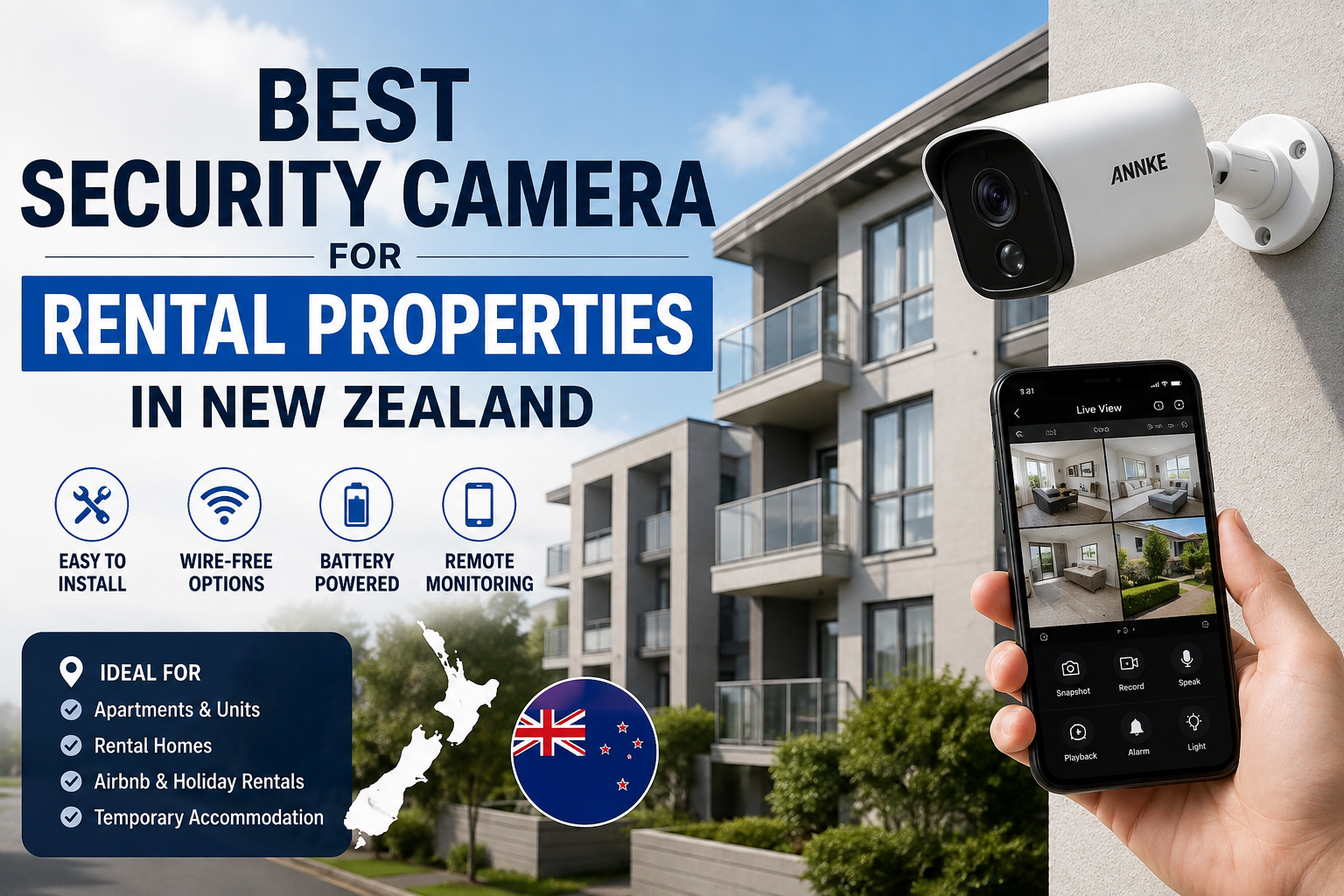
Good news: choosing the best security camera for rental properties in New Zealand no longer means compromising. Damage-free mounting, local storage and proper weatherproofing are standard now, on cameras costing less than a decent pair of work boots.
The catch is that rentals come with rules other properties don’t. Get it wrong and you’re not just wasting money — you could be breaching the Residential Tenancies Act or the Privacy Act. Here’s what works, what to avoid, and how to choose for your situation rather than off a spec sheet.
Short Answer
For most New Zealand renters, a battery-powered wireless security camera with local microSD storage and an IP66 weather rating is the best choice. It mounts without drilling, needs no electrician, comes with you when you move, and keeps working when the internet drops out.
Landlords and investment property owners are better off with a wired PoE system and an NVR — continuous recording, no batteries, no monthly fees.
In an apartment, go with a plug-in indoor camera plus a battery camera at the entry door, and check your body corporate rules before anything goes on an exterior wall.
One rule applies to everybody: cameras may cover your own entrances, driveway and shared exterior spaces — never the inside of someone else’s home or their private outdoor area. That’s the part people get wrong.
What Is a Rental-Friendly Security Camera?
Search local listings and you’ll see the term rental property security camera thrown at anything wireless. In practice it means one you can install, use and remove without leaving damage, cutting wires into walls, or needing your landlord’s tradesperson on site. Three things make one:
- No permanent installation. Battery, or an existing power point. No holes in cladding, no cable through the ceiling cavity.
- No fixed infrastructure. Storage sits on a card inside the camera, not a box wired into the meter cupboard.
- It’s portable. When your tenancy ends, the camera goes in the moving box with the toaster.
Traditional CCTV is the opposite: brackets bolted into weatherboard, cabling drilled through the exterior, a recorder living somewhere permanent. Excellent security — but a renovation, not a purchase.
That matters because under the Residential Tenancies Act 1986, tenants generally can’t make alterations without written landlord permission. A camera screwed into the fascia board is an alteration. One on a magnetic mount stuck to the garage frame is not.
Key Concepts Explained
You don’t need to become a security installer. Four ideas decide whether your camera is useful or a $200 paperweight.
1. Battery vs Plug-In vs Wired
Battery cameras run on a rechargeable pack lasting one to four months, recording motion-triggered clips rather than continuously. Plug-in cameras use a standard power point, record continuously and never need charging — but need a socket within cable reach. Wired PoE cameras carry power and video down one ethernet cable to a recorder: rock solid, but a genuine installation job.
Key takeaway: battery cameras trade continuous recording for total install freedom — usually worth it in a rental.
2. Local Storage vs Cloud Storage
Almost any WiFi security camera NZ buyers pick up offers both.
Local storage means a microSD card in the camera. Footage stays on your property, there’s no subscription, and it keeps recording if your fibre goes down.
Cloud storage means clips upload to a server. Handy if a thief takes the camera itself, but almost always a monthly fee — and continuous upload from three cameras will chew through a capped rural plan.
For renters, local storage should be the main record and cloud an optional extra. Be wary of any camera that’s useless without a subscription.
One connection note: most affordable cameras use 2.4GHz WiFi, not 5GHz. It reaches further through walls — what you want for a camera at the letterbox — but your router needs 2.4GHz enabled.
3. Weather Ratings and the New Zealand Climate
An outdoor security camera NZ conditions won’t destroy needs a proper IP rating: IP65 minimum, IP66 or IP67 preferred. The first digit covers dust, the second water. IP66 handles driving rain — which matters in Wellington, on the West Coast, and anywhere a nor’wester turns rain sideways.
Coastal homes need extra thought. Salt air around Napier or Whangārei corrodes cheap housings within a couple of years, and mounting under a soffit rather than fully exposed roughly doubles a camera’s life.
4. Resolution: How Much Do You Really Need?
- 1080p (2MP) — fine for a small entry or hallway. A face at 10 metres is a stretch.
- 2K (4MP) — the sweet spot for most rentals. Enough to identify a person or read a plate at driveway distance.
- 4K (8MP) — more detail, bigger files. Worth it for long driveways or commercial frontages.
Key takeaway: for most rentals, 2K resolution with good night vision beats 4K with a weak sensor.
The Privacy and Tenancy Rules You Can’t Skip
Short section, but skipping it is the most expensive mistake in this guide.
If you’re a tenant: cover your own entry, vehicle and outdoor area. Avoid pointing cameras into a neighbour’s windows, a flatmate’s private space, or across the fence. Recording audio of conversations you aren’t part of is a separate and more serious problem — turn audio off on any camera covering shared or neighbouring space.
If you’re a landlord or property manager: you can protect common areas, exteriors, driveways and vacant properties. You cannot monitor tenants inside their home or private outdoor space — tenants have a legal right to quiet enjoyment, and covert surveillance breaches it. Existing cameras must be disclosed before a tenancy starts.
If you host on Airbnb: exterior and entry cameras are generally acceptable and must be disclosed in your listing before booking. Cameras inside the property are prohibited by Airbnb policy, full stop.
The Privacy Act 2020 applies once footage captures identifiable people beyond your household: collect only what you need, tell people cameras are there, keep footage secure, and don’t keep it forever.
Key takeaway: aim cameras at property you’re responsible for, disclose them, and disable audio where it isn’t necessary.
For anything unusual — shared driveways, boundary disputes, granny flats — Tenancy Services and the Office of the Privacy Commissioner publish free guidance worth ten minutes before you mount anything.
Option 1: Battery-Powered Wireless Cameras
This is the category that made rental security practical. A wireless security camera for renters is a sealed unit with a rechargeable battery, WiFi, a motion sensor and a microSD slot, mounted with a magnetic base, an adhesive plate, or a strap around a downpipe or veranda post.
Who It’s For
- Renters on fixed-term tenancies of 12 months or less
- Students in flats where nobody wants to ask the landlord for anything
- Spots with no nearby power point — a back gate, a carport, the bike shed
Pros
- Genuinely damage-free. Magnetic and adhesive mounts leave nothing behind.
- Ten-minute setup. Charge it, connect to WiFi in the app, position it.
- Goes anywhere. No power point, no cable route, no compromise on placement.
- Cheapest way in. A solid single camera sits well under $200 in New Zealand.
- Yours forever. A possession, not an improvement to someone else’s asset.
Cons
- No continuous recording. Motion-triggered clips only. If something happens without triggering the sensor, there’s no footage.
- Charging. Every one to four months. A busy townhouse path drains a battery far faster than a quiet rural gate.
- Wake-up lag. Cheaper models miss the first second or two. Look for pre-roll recording.
- WiFi dependent. A camera at the end of a long driveway may need a mesh node.
NZ Use Case
A flat of four students in Dunedin North kept losing bikes from the side of the house. Two battery cameras — one magnetically mounted on the carport frame, one strapped to the veranda post — cost less than one replacement bike. No holes, no landlord conversation, and both moved to the next flat in December.
Add a solar panel accessory and the charging problem largely disappears — even Southland’s winter light usually keeps a low-traffic camera topped up.
Option 2: Plug-In WiFi Cameras (Indoor and Outdoor)
These run off mains power through a standard plug. Indoors that usually means a compact pan-tilt camera on a shelf. Outdoors, a weatherproof bullet or turret camera within reach of an exterior socket or a window-routed cable.
Who It’s For
- Longer-term renters settled in a place for two years or more
- Apartment tenants wanting indoor coverage while at work
- Airbnb and bach owners needing reliable entry coverage between guests
Pros
- Continuous recording. A 24/7 timeline, not just clips — far more useful for establishing exactly what happened and when.
- Zero maintenance. Nothing to charge, ever.
- Better features for the money. Mains power supports pan-tilt-zoom, brighter spotlights, colour night vision and two-way audio without draining a battery.
- Stable connection. More consistent streaming than battery models, which sleep to save power. Good for smart home security NZ setups that need a reliable always-on feed.
Cons
- You’re tied to a power point. The real limitation — the best angle is often nowhere near a socket.
- Visible cabling. Fine indoors. Outdoors it needs clips or conduit, and adhesive clips can lift paint off weatherboard when removed.
- Shared flats need agreement. A camera in a common area needs every tenant’s consent, not just yours.
NZ Use Case
A ground-floor one-bedroom in Auckland’s CBD opening onto a shared courtyard. The body corporate wouldn’t allow anything on the building exterior. The fix: a plug-in indoor camera on a bookshelf angled through the ranchslider, plus a battery camera on a stick-on plate in the hallway.
Because that camera looked out toward space other residents used, the tenant angled it down to cover only their own door and patio, and turned audio off — right side of the Privacy Act.
Note on glass: cameras behind windows get infrared glare at night. Switch night vision to colour mode with the spotlight on, or rely on outdoor lighting.
Option 3: Wired PoE Systems with an NVR
Power over Ethernet: one cable per camera carrying both power and data back to a network video recorder with an internal hard drive. This is what businesses and serious homeowners install.
Who It’s For
- Landlords and investment property owners who control the building
- Owners of holiday homes and baches sitting empty for weeks
- Multi-unit properties and blocks of flats covering common areas
- Small businesses — workshops, dairies, storage yards, lifestyle blocks
Important: this is not a tenant option. It’s a permanent installation requiring written landlord consent, and you can’t take it with you.
Pros
- The most reliable option, by a clear margin. No batteries, no WiFi dropouts, no interference.
- Continuous 24/7 recording on every channel — typically weeks of footage on a 2TB drive.
- No ongoing costs. Buy once. Nothing monthly.
- Scales properly. Four, eight or sixteen cameras on one recorder and one app.
Cons
- Installation is real work. Cable runs through ceiling and wall cavities. Most people should pay an installer — realistically $600–$1,500 in labour for a typical NZ home.
- Not portable. It stays with the building.
- Higher entry cost. A four-camera kit with recorder and drive is a several-hundred-dollar commitment before install.
- The recorder needs a home. A ventilated cupboard or garage shelf, ideally where a burglar won’t find it.
NZ Use Case
A Queenstown holiday home, empty most of winter, with a history of shoulder-season break-ins. A four-camera PoE system covering both entrances, the deck and the driveway records continuously to a 2TB drive in the linen cupboard. The owner checks the app from Australia — no subscription, and as it’s their own property, none of the tenancy restrictions apply.
For a rural block or alpine bach, add a UPS — a cheap uninterruptible power supply keeps the recorder and router alive through the short outages that are routine outside the main centres.
Side-by-Side Comparison
| Feature | Battery Wireless | Plug-In WiFi | Wired PoE + NVR |
|---|---|---|---|
| Best for | Renters, students, short leases | Long-term renters, apartments, Airbnb | Landlords, baches, businesses |
| Landlord permission | Not usually needed | Not usually needed (indoor) | Written consent required |
| Install difficulty | Very easy — 10 minutes | Easy — 20 minutes | Professional install advised |
| Damage-free | Yes | Yes, indoors | No |
| Power | Rechargeable battery / solar | Standard power point | Ethernet cable (PoE) |
| Recording style | Motion-triggered clips | Continuous or motion | Continuous, all channels |
| Storage | microSD in camera | microSD or cloud | Hard drive in NVR |
| Ongoing cost | None (local storage) | None (local storage) | None |
| Works if internet drops | Records locally, no remote view | Records locally, no remote view | Records locally, no remote view |
| Portable when you move | Yes | Yes | No |
| Weather rating to look for | IP65–IP66 | IP66 | IP66–IP67 |
| Typical NZ price (1 camera) | $120–$250 | $100–$220 | $150–$300 + recorder |
How to Choose: A Step-by-Step Method
Step 1: Write Down What You’re Actually Protecting
“Security” is too vague to buy from. Parcels going missing? One camera at the front door with a clear view of the step. Car scratched in a shared driveway? A wide-angle camera over the whole parking area. Break-in risk while the bach sits empty? Multiple angles with continuous recording.
The threat determines camera count and recording style. Decide it first.
Step 2: Check Your Lease and Your Building
Read the alterations clause. Most tenancy agreements permit removable, non-damaging items and prohibit anything needing holes or fixed wiring. In an apartment, check the body corporate rules too — many ban anything attached to exterior walls or balconies regardless of your lease.
If you need permission, ask by email and keep the reply. That written record protects your bond later.
Step 3: Count Power Points, Then Test Your WiFi
Stand where you want each camera. Socket within cable reach? Plug-in is on the table. If not, it’s battery or solar.
Then walk to each spot with your phone and open a video stream. If it stutters, the camera will too. A mesh node fixes it for $80–$150 — budget for that rather than discovering it after installation.
Step 4: Make Local Storage Your Baseline
Buy a camera that records to microSD without a subscription, and add cloud later only if you want offsite backup. Match the card to the camera’s supported capacity — usually 128GB or 256GB — and buy one rated for continuous recording. A cheap card made for holiday photos will fail inside a year.
Step 5: Match the Weather Rating to Your Region
IP65 is enough under a deep eave in Christchurch. IP66 or IP67 is the honest minimum for Wellington’s exposed frontages, West Coast rain, or anywhere near the sea.
Check the operating temperature range if you’re in Central Otago. Batteries lose capacity in the cold, and a camera rated only to 0°C will struggle in Twizel.
Step 6: Set It Up Properly, Then Test It Like a Burglar
Most cameras fail their owners because of setup, not hardware.
- Mount 2.5 to 3 metres high, angled slightly down — out of reach, but still capturing faces.
- Don’t point at the rising or setting sun. The glare blinds the sensor for an hour a day.
- Set motion zones to exclude the footpath and road, or every passing car triggers an alert and you’ll mute notifications within a week.
- Enable pre-roll recording, and change the default password immediately.
Then walk up your own driveway at 11pm. Can you identify yourself in the footage? Try the back gate and the dark side of the house. Adjust until every approach is covered — in the first week, not after an incident.
Common Mistakes to Avoid
Buying before checking WiFi coverage. The far corner of the section is exactly where you need a camera and exactly where the signal dies.
Drilling first, asking later. Even four small screw holes in weatherboard can be treated as damage and deducted from your bond.
Pointing a camera into a neighbour’s property — or recording their conversations. A legal problem and a neighbour problem at once. Use motion masking to exclude anything past your boundary, and turn audio off.
Leaving default passwords in place. Cameras with factory credentials get found by automated scanners — the easiest way to turn a security device into a security hole.
Forgetting the camera exists. Check it’s actually recording once a month. Cards corrupt, batteries die, WiFi passwords change.
Landlords monitoring inside a tenanted home. This breaches quiet enjoyment under the Residential Tenancies Act and can end up at the Tenancy Tribunal. Exteriors and common areas only.
Frequently Asked Questions
Can I install a security camera in a rental property in New Zealand?
Yes, in most cases. Tenants can install removable cameras that don’t damage the property — battery or plug-in models on magnetic, adhesive or strap mounts. Anything needing drilling or fixed wiring counts as an alteration and requires the landlord’s written permission. Check your tenancy agreement’s alterations clause, and in an apartment the body corporate rules too.
Can my landlord put cameras inside my rental?
No. A landlord cannot install cameras monitoring the inside of your home or your private outdoor area — that breaches your right to quiet enjoyment under the Residential Tenancies Act 1986. Cameras covering shared exteriors, driveways or common areas are generally acceptable, but must be disclosed before the tenancy begins. If you find an undisclosed camera in a private space, contact Tenancy Services.
What’s the best security camera for apartments in NZ?
A plug-in indoor camera for the main living area, paired with a small battery camera at the entry door. Apartments rarely allow exterior mounting, so indoor placement does the work. Choose local microSD storage, and if a camera faces a shared corridor or courtyard, mask the parts covering other residents’ space.
Do I need internet for a security camera to work?
Not to record. Cameras with local microSD or NVR storage keep recording through an outage. You need internet only for live viewing, notifications and remote playback. It’s a strong argument for local storage — a cloud-only camera stops being a security device the moment your connection drops.
How long do battery security cameras last between charges?
Typically one to four months. The variable is motion events, not time. A camera on a quiet rural gate can go a full season; one facing a busy townhouse path might need charging monthly. Tight motion zones and lower sensitivity extend life a lot, and a solar accessory usually removes the issue altogether.
Are wireless security cameras safe from hacking?
They’re safe enough if you set them up properly. Change the default password, enable two-factor authentication, keep firmware updated, and buy from a brand that publishes security updates. Most compromised cameras were running factory credentials. Local storage also reduces exposure — less footage sitting on someone else’s server.
What IP rating do I need for an outdoor camera in New Zealand?
IP65 is the minimum for a sheltered spot under an eave. IP66 suits exposed positions, and IP66 or IP67 coastal properties and high-rainfall regions like the West Coast. Salt air is harder on hardware than rain — near the sea, mount under shelter and rinse the housing with fresh water occasionally.
Do I have to tell Airbnb guests about my cameras?
Yes. Airbnb requires all exterior cameras and recording devices to be disclosed in your listing before a guest books, and cameras inside the property are prohibited entirely. Undisclosed cameras breach Airbnb policy and can get a listing removed, so state it clearly in both your description and the amenities section.
Is 2K or 4K better for a rental property?
2K (4MP) is the better buy for most rentals. It’s enough to identify a face at a doorway or read a plate in a driveway, using roughly a quarter of the storage and bandwidth of 4K. Reserve 4K for long driveways, wide sections or commercial frontages.
Final Recommendation
The best security camera for rental properties in New Zealand depends on which of these three you are.
Renting and want the simplest good answer: a 2K battery-powered camera with IP66 weatherproofing, local microSD storage, no mandatory subscription, and a magnetic or adhesive mount. Add a solar panel if it’s going somewhere sunny. Start with one at your main entry and add a second once you’ve seen how the first performs.
Long-term tenant or apartment dweller: a plug-in WiFi camera indoors for continuous recording, plus a battery camera at the door. A proper 24/7 timeline where it matters, and no drilling anywhere.
You own the property — investment, bach or business: go wired. A four-camera PoE system costs more upfront and needs an installer, but it records continuously, never needs charging, and has no ongoing cost. Over five years it’s the cheapest option by a wide margin.
Three rules hold across all of them: choose local storage over subscription lock-in, match your weather rating to your region, and keep every camera pointed at property you’re responsible for.
A camera won’t stop a determined burglar. It deters the opportunist, settles arguments, and gives you something concrete to hand the Police or your insurer. For most Kiwi renters, that’s about $180 well spent.
Ready to Set Up Your Rental Security?
Browse ANNKE’s range of battery, WiFi and PoE cameras built for New Zealand conditions — proper IP66 weatherproofing, local storage with no forced subscription, and mounting that won’t cost you your bond.
Shop security cameras at ANNKE NZ →
Not sure which suits your place? Tell us your setup — flat, apartment, bach or rental portfolio — and we’ll point you to the right one.
 No products in the cart.