
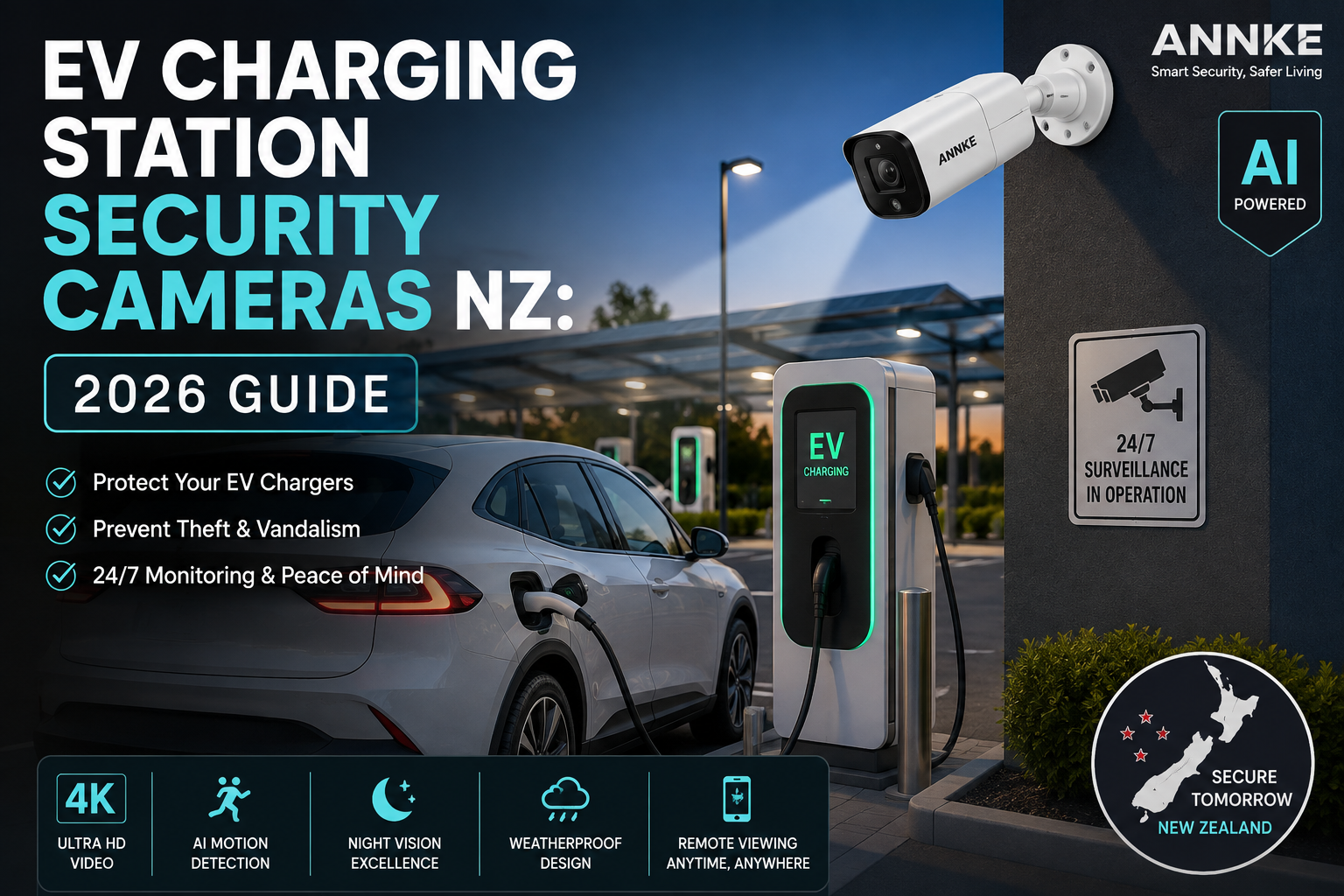
You come home after a long day, plug your EV in overnight, and by morning the charging cable has been cut, the RFID card is missing, or someone has parked in your bay and used your power. It’s a small story, but it’s happening more often across Auckland, Wellington and Christchurch as EV chargers pop up in driveways, apartment carparks and shopping centres.
The truth is, EV chargers are expensive pieces of kit sitting in the open, often in dim carparks. They pull thieves the same way a nice bike locked outside a café does. If you own or manage one, you need eyes on it — and that’s where EV charging station security cameras in New Zealand come in.
Short Answer
The best way to protect an EV charging station in New Zealand is to install a weatherproof outdoor security camera with night vision, AI motion detection, and either PoE or Wi-Fi connectivity, mounted 2.5–3 metres above the charger with a clear view of the plug, the vehicle bay and any approach paths. For home setups, a single 4K bullet or turret camera is usually enough. For commercial sites, use two to four cameras plus a network video recorder (NVR) so you can review footage days or weeks later.
What Are EV Charging Station Security Cameras?
EV charging station security cameras are outdoor CCTV cameras placed to watch over an electric vehicle charger and the parking bay it sits in. They record video 24/7 or on motion, save clips to a local recorder or the cloud, and often push alerts to your phone when something moves in front of them.
They’re not a special “EV only” product. They’re everyday outdoor security cameras used for a specific job — protecting the charger, the cable, the car, and any people using the station.
A good setup answers three simple questions: Who used the charger? Did anyone touch it when it wasn’t meant to be used? And if something goes wrong, can I show clear footage to the police or insurance?
Key Concepts Explained
Before we compare options, let’s break down a few terms that get thrown around a lot. Getting these right makes buying much easier.
Resolution. This is how sharp the picture is. 1080p is fine for a small driveway. 4K (8MP) is better when you need to read a number plate from across a carpark.
PoE vs Wi-Fi. PoE (Power over Ethernet) uses one cable for data and power. It’s stable and great for long-term commercial use. Wi-Fi cameras are easier to install at home but depend on your router’s signal reaching the driveway.
IP rating. IP66 or IP67 means the camera can handle NZ rain, coastal salt spray and dust without dying in six months. Anything less is a false economy outside.
AI motion detection. Older cameras alerted you every time a leaf blew past. AI cameras tell the difference between a person, a vehicle and a possum, so you don’t get 40 alerts a night.
Night vision. Look for either infrared (black and white at night) or colour night vision with a built-in warm spotlight. Colour footage is much more useful for identifying people and cars.
Local storage vs cloud. Local storage (an NVR or microSD card) keeps footage on-site. Cloud storage keeps a copy off-site so it survives if the camera is stolen. Many NZ users go with both.
Option 1: Single Outdoor Bullet or Turret Camera (Home EV Chargers)
This is the classic home setup. One camera, mounted on the eave or garage wall, pointed at the driveway where your EV parks and charges.
Who it’s for. Homeowners with a single wallbox charger in a driveway, carport or garage. Also good for lifestyle blocks where the charger sits away from the main house.
Pros.
- Cheap to buy and install, often under $300 for a quality unit
- Simple — one camera, one app, one job
- Runs off existing home Wi-Fi or a short ethernet run
- 4K models can catch number plates on the street beyond the driveway
Cons.
- Only one angle, so someone approaching from the blind side can be missed
- Wi-Fi cameras can drop out if the router is far from the garage
- Limited coverage if you later add a second charger
NZ use case. A homeowner in Papamoa installs a 4K turret camera under the eave of their double garage. It watches the driveway, the wallbox on the garage wall, and the street footpath. Colour night vision picks up plates on cars slowing down to look at the EV. Total install cost, including a Cat6 cable and a small PoE injector, sits around $450.
Option 2: Multi-Camera PoE System with NVR (Commercial and Apartment Sites)
This is the setup for anywhere with more than one charger, or where you need proof-quality footage for insurance and workplace safety.
Who it’s for. Commercial property owners, apartment and townhouse managers, service stations with public chargers, workplaces with employee EV bays, and hotels or motels offering charging as a guest service.
Pros.
- Multiple angles cover blind spots, entry points and every charging bay
- PoE means one cable per camera, so long runs across a carpark are tidy
- NVR stores weeks or months of footage locally, no monthly cloud fees required
- Adds up to a proper business-grade CCTV system that also protects the wider site
Cons.
- Higher upfront cost, usually $1,500–$4,000 fitted for a small site
- Needs a qualified installer to run cables neatly and safely
- More gear means more maintenance — cameras need a wipe down every few months
NZ use case. A Wellington apartment building on The Terrace has six EV chargers in the basement. The body corporate installs four 8MP PoE bullet cameras and a 4-channel NVR in the switchboard cupboard. Two cameras face the chargers, one watches the vehicle entry ramp and one watches the pedestrian door. Residents get a QR-coded card explaining the CCTV, and footage is retained for 30 days as agreed in the AGM minutes.
Option 3: Wire-Free Battery or Solar Cameras (Remote Sites and Renters)
Sometimes you can’t run cables. Maybe you rent, maybe the charger is in a paddock on a lifestyle block, or maybe you’re waiting on consent before drilling into a heritage wall.
Who it’s for. Renters with landlord restrictions, holiday home owners, remote or off-grid EV chargers, farm and rural chargers, and pop-up commercial charging at events or construction sites.
Pros.
- No cabling, so install takes under an hour
- Solar-powered options run for years without touching them
- Can be moved when you move house or shift the charger
- Great for temporary sites like construction yards
Cons.
- Battery cameras record in shorter clips to save power, so you can miss slow events
- Depend on Wi-Fi or 4G, which may be weak at the edge of a property
- Cloud subscriptions can add up over a few years
- Solar panels need a north-facing spot with real sun, which isn’t every driveway in Dunedin winter
NZ use case. A Coromandel bach owner installs a solar-powered 2K camera on a pole beside the EV charger at the top of the driveway. It runs on the bach’s 4G modem and uploads clips to the cloud. When the owner isn’t there for weeks, they still get alerts if anyone plugs into the charger.
Side-by-Side Comparison Table
| Feature | Single Bullet/Turret | PoE Multi-Camera + NVR | Wire-Free Battery/Solar |
|---|---|---|---|
| Best for | Home driveways | Commercial, apartments | Rentals, remote sites |
| Typical cost (NZD) | $250–$600 | $1,500–$4,000+ | $300–$900 per camera |
| Install difficulty | Easy to medium | Needs installer | Very easy |
| Number of cameras | 1 | 2–16 | 1–4 |
| Power source | PoE or Wi-Fi + plug | PoE (one cable) | Battery, solar, or both |
| Storage | MicroSD or cloud | NVR (local) + optional cloud | Cloud, sometimes microSD |
| Night vision | Colour or IR | Colour or IR, IR often stronger | Colour, IR |
| Weatherproofing | IP66 typical | IP66/IP67 | IP65/IP66 |
| Best resolution available | 4K | 4K–12MP | 2K–4K |
| Ongoing costs | Optional cloud | Almost none | Cloud subscription common |
| Scales to more chargers? | Not easily | Yes, add cameras | Somewhat |
How to Choose the Right Setup (Step-by-Step)
Picking the right camera setup isn’t about grabbing the most expensive box on the shelf. Work through these steps in order and you’ll get there without regret.
Step 1: Count your chargers and bays. One charger in a driveway is a very different job from six chargers in a basement. Write down how many charging points you have and how many might be added in the next two years.
Step 2: Sketch the sightlines. Stand where you’d mount a camera and look at what you can see. Ideally you want the charger, the plug, the vehicle bay and any pedestrian path in one frame. If you can’t get all that from one spot, you need two cameras.
Step 3: Check your internet. Wi-Fi cameras need a solid signal at the mounting point. If you can’t hold a video call there on your phone, you need PoE or a mesh Wi-Fi extender.
Step 4: Decide on storage. Do you want to review footage from last week? Last month? Local NVRs handle that easily. Cloud plans get pricey fast but survive theft. Many NZ commercial sites do both.
Step 5: Match resolution to distance. As a rough guide: 1080p reads faces at 3 metres, 4MP at 5 metres, 8MP (4K) at 8+ metres. Pick based on how far the plug is from the camera.
Step 6: Get the IP rating right. NZ weather varies from Bay of Plenty humidity to Southland frost. IP66 minimum, IP67 if the camera sits in the open with no eave over it.
Step 7: Plan the power. PoE is a single cable back to a switch or injector. Wi-Fi cameras still need a power point, unless they’re battery or solar. Get an electrician if you’re not confident.
Step 8: Add lighting. A cheap sensor light near the charger dramatically improves footage quality, even with colour night vision. It also puts thieves off before they get near.
Step 9: Sort out signage and privacy. In New Zealand, CCTV is covered by the Privacy Act 2020. You need visible signage telling people they’re being recorded, and you must have a reason to record. For commercial sites, a short CCTV policy is a good idea.
Step 10: Test the whole system. Walk up to the charger at night wearing a hat. Can you still tell it’s a person? Try plugging in. Does the camera catch the moment the cable is inserted? If not, adjust the angle before you sign it off.
Common Mistakes to Avoid
Even good cameras get let down by a few classic errors. Watch out for these before you spend a dollar.
- Mounting too high. Cameras above 4 metres make everyone look like a hat with legs. Aim for 2.5–3 metres.
- Ignoring the sun. A west-facing camera at 6pm in summer will get lens flare that wipes out your footage. Check the mounting spot at different times of day.
- Forgetting the cable. The charger cable is often the target of theft. Make sure the camera clearly frames it, not just the wallbox.
- Skipping the IP rating. Cheap indoor cameras “sort of” work outside for a few months, then die. Always buy true outdoor rated units.
- No backup power. If a thief kills your power, your cameras die too. A small UPS on the NVR keeps recording for another 30–60 minutes.
- Not testing at night. Most break-ins happen in the dark. Test after sunset before you’re satisfied.
- Skipping the sign. No CCTV signage means possible privacy complaints and weaker legal footing.
- Trusting Wi-Fi alone in a metal garage. Colorsteel and concrete kill Wi-Fi. Run a cable or use a mesh node.
Key takeaway: most failed installs aren’t caused by bad cameras — they’re caused by rushed planning.
Frequently Asked Questions
Do I really need a security camera on my home EV charger? If your driveway is visible from the street and your charger is worth $1,500 or more, yes. Copper theft, cable cutting and casual plug-in theft are all rising in New Zealand suburbs, and a camera pays for itself the first time it stops one incident.
What’s the best resolution for an EV charger camera? 4K (8MP) is the current sweet spot. It’s sharp enough to read a licence plate at the end of the driveway and lets you crop into details later. 1080p is fine if the charger is within 3 metres of the camera.
Can I use my existing home security camera to watch the EV charger? Sometimes. If your existing camera has a clear view of the charger, the cable and the parking bay, you’re set. If it’s angled at the front door and the charger is in a side carport, add a second camera.
Is Wi-Fi or PoE better for outdoor EV charger cameras in NZ? PoE is more reliable and doesn’t drop out in bad weather or when the router reboots. Wi-Fi is easier to install. For homes, Wi-Fi is usually fine. For businesses and apartments, use PoE.
Do I need special permission to install CCTV at my EV charger? For a private home on your own property, no. For rentals, get written approval from the landlord. For apartments and body corporates, follow the body corp rules. Commercial sites need signage and a documented CCTV policy under the Privacy Act 2020.
How much footage should I keep? 30 days is standard for commercial sites and gives you enough time to spot patterns or provide footage to police. Homeowners often keep 7–14 days. Cloud plans usually offer both.
Will the camera work in winter? Yes, if it’s IP66 or better and rated for the temperatures common where you live. Most NZ homes never see the extreme cold that damages cameras, but Central Otago installers should still check the temperature range on the spec sheet.
Can AI motion detection tell the difference between my car and a stranger? Modern AI cameras can identify people, vehicles and pets separately. Some can also learn your usual vehicle over time. This drastically cuts false alerts, especially on windy nights with moving trees.
What happens if the thief steals the camera too? Cameras mounted at 2.5–3 metres are hard to reach without a ladder. If you’re worried, use a camera that uploads clips to the cloud so the footage survives even if the hardware doesn’t.
Can I connect my EV charger security camera to a monitoring service? Yes. Many NZ monitoring companies now offer add-on CCTV monitoring for around $20–$40 per month per camera. It makes sense for unattended commercial chargers and holiday homes.
Final Recommendation
If you’re a homeowner with a single wallbox, a good 4K PoE turret camera with colour night vision, mounted under the eave, is the best value in the market. You’ll pay somewhere between $350 and $650 fitted, and you’ll get footage clear enough to be genuinely useful.
If you run a commercial site, an apartment carpark, or a fleet depot, invest in a proper multi-camera PoE system with a local NVR. It costs more upfront, but you’ll have real evidence when something goes wrong, and the same system protects your wider building.
If you’re renting, on a lifestyle block, or setting up a temporary EV charger, a wire-free 2K or 4K camera with solar power and cloud storage is the flexible pick. It’s not the cheapest over three years, but it’s the fastest to install and easy to take with you when you move.
Whichever option you pick, protecting your EV charging station security cameras in New Zealand is really about three things: clear coverage of the plug, honest low-light performance, and reliable storage. Nail those and the rest is detail.
Ready to Protect Your EV Charger?
Explore Annke’s full range of outdoor security cameras, PoE kits and NVRs built for New Zealand conditions. Whether you’re securing a home wallbox in Tauranga or a 12-bay commercial charger in Christchurch, there’s a setup that fits.
Browse Annke NZ security cameras → https://annke.co.nz/shop/
Got a specific site in mind? Send us a photo of your charger location and we’ll help you pick the right camera, mounting height and cable run — no obligation.

 No products in the cart.