
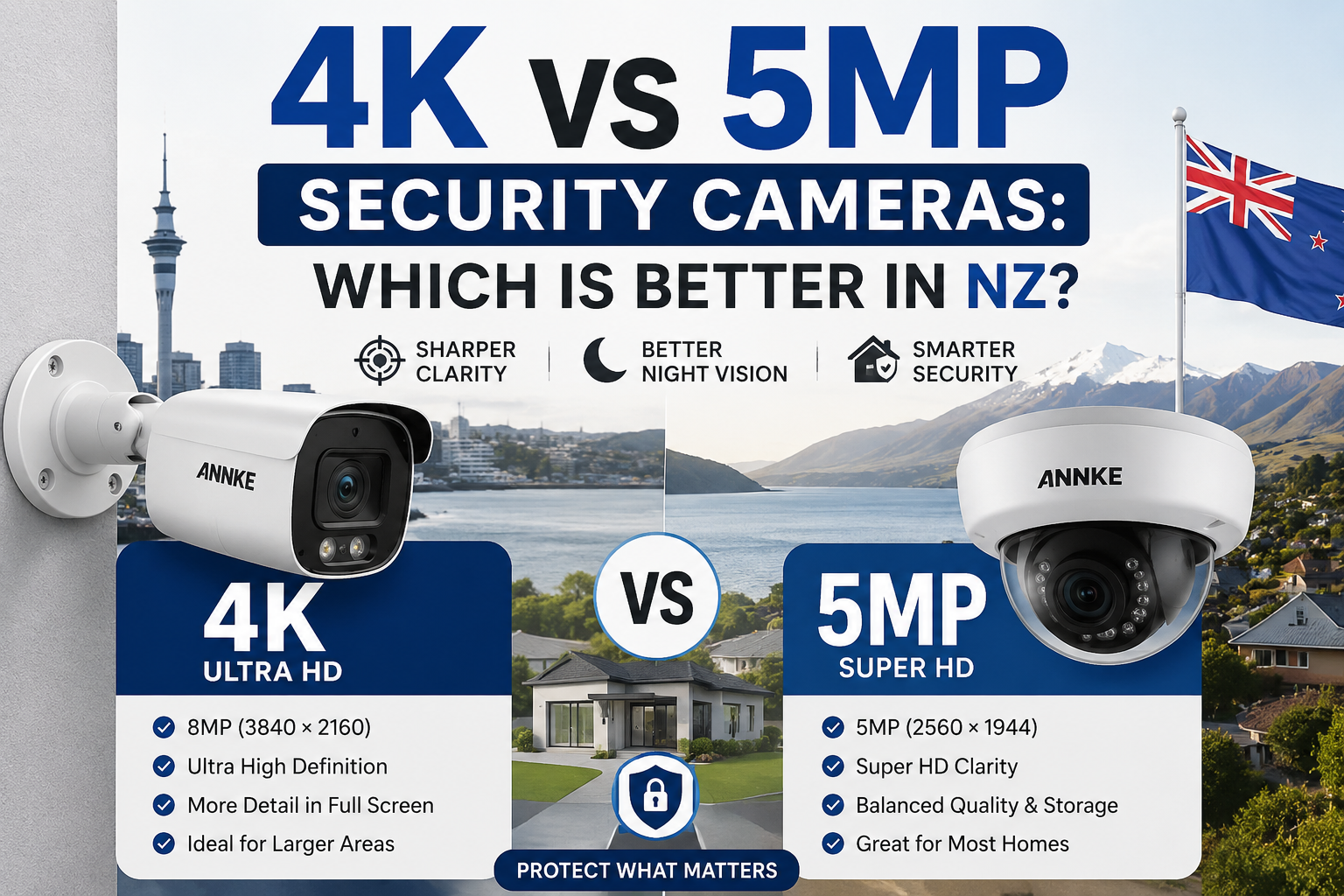
You’ve finally decided to install CCTV around your home in Auckland, Christchurch, or somewhere on a quiet lifestyle block down south. You open a browser, type in “best home security camera,” and within minutes you’re staring at two numbers that keep popping up: 4K and 5MP. Both look sharp in the marketing photos. Both promise “crystal-clear footage.” And both come with wildly different price tags.
So which one actually makes sense for a Kiwi home? Do you really need 4K to catch a number plate at the end of a long driveway, or is a 5MP camera more than enough for your porch, garage, and back deck?
This guide breaks down the real-world differences between 4K vs 5MP security cameras, using plain language and examples from New Zealand homes and small businesses. By the end, you’ll know exactly which resolution suits your property, your internet connection, and your budget — without paying for pixels you’ll never use.
Short Answer
For most New Zealand homes, a 5MP security camera offers the best balance of image quality, storage costs, and price. It captures sharp footage of faces, cars, and doorways without hammering your hard drive or router.
Choose a 4K security camera if you have a large section, a long driveway, a rural block, or a small business where you need to zoom in on faces or number plates from far away. 4K gives you roughly twice the detail of 5MP — but only if the rest of your setup (lens, NVR, cabling, and monitor) can keep up.
Key takeaway: 5MP is the smart default. 4K is the upgrade for distance, wide areas, and detail-heavy jobs.
What Are 4K and 5MP Security Cameras?
When we talk about camera resolution, we’re talking about how many tiny dots (pixels) make up each frame of video. More pixels usually means more detail — but it also means larger files, more storage, and often a higher price.
Here’s a simple way to picture it:
- 5MP cameras record around 5 million pixels per frame (2560 x 1920). That’s noticeably sharper than the old 1080p HD you might have on an older system.
- 4K cameras (also called 8MP) record around 8 million pixels per frame (3840 x 2160). It’s the same resolution as a modern smart TV.
Both are sold widely in New Zealand under brands like ANNKE, Hikvision, Dahua, Reolink, and Swann. Both work with NVRs (network video recorders), and both can run over standard Cat6 cabling using PoE (Power over Ethernet), which is the setup most Kiwi installers recommend.
The catch is that “more pixels” doesn’t automatically mean “better security camera.” The lens, the sensor size, the night vision, and the frame rate all matter just as much — sometimes more.
Key Concepts Explained
Before we compare the two side by side, it helps to understand a few basics. Don’t worry, we’ll keep it simple.
Resolution vs. Image Quality
Resolution is the number of pixels. Image quality is what the footage actually looks like. A 4K camera with a cheap sensor can look worse than a well-made 5MP camera, especially at night. Think of it like a phone camera — megapixels alone don’t make a good photo.
Field of View
This is how wide the camera can see. A wider lens covers more of your section but stretches the pixels thinner. A narrower lens focuses on one spot and shows more detail there. For a big backyard in Tauranga, field of view matters as much as resolution.
Bitrate and Storage
Higher resolution = bigger video files. 4K footage takes about twice the storage of 5MP for the same length of recording. If you want two weeks of continuous footage from six cameras, that’s a real difference in hard drive size (and cost).
Bandwidth
If you plan to view your cameras remotely from your phone — say, while you’re on holiday in Queenstown — 4K uses more upload bandwidth. On slower rural connections or basic fibre plans, 5MP streams often feel smoother.
Night Vision
Most break-ins in New Zealand happen at night or in low light. Night performance depends more on the sensor and infrared LEDs than on resolution. Sometimes a 5MP camera with a good sensor beats a 4K model in the dark.
Option 1: 5MP Security Cameras
5MP cameras are the current sweet spot for home CCTV in New Zealand. They’ve replaced 1080p as the standard for new installs and offer a big jump in detail without the storage headaches of 4K.
Who It’s For
- Homeowners with a standard suburban section
- People upgrading from an old 1080p or analogue system
- Landlords fitting cameras to rental properties
- Small cafes, dairies, and offices that need clear footage without heavy storage costs
- DIY buyers who want a plug-and-play setup
Pros
- Sharper than 1080p, with clear face detail up to around 8–10 metres
- Lower storage requirements — a 2TB drive can hold weeks of footage
- Easier on your internet when viewing remotely
- Cheaper cameras, cheaper NVRs, cheaper hard drives
- Wide range of models available from NZ suppliers
Cons
- Not ideal for very long driveways or large rural sections
- Digital zoom quickly loses detail past 10 metres
- Won’t capture number plates as clearly at distance
NZ Use Case
Picture a typical three-bedroom home in Papakura. You want cameras covering the front door, the driveway (roughly 6 metres long), the back deck, and the side gate. A 5MP system will give you clear faces, sharp footage of anyone at the door, and enough detail to identify people you know. Storage on a 4TB NVR will easily last a month at continuous recording.
For most Kiwi homeowners, this is more than enough camera.
Option 2: 4K Security Cameras
4K is the premium tier of consumer CCTV. It doubles the pixel count of 5MP, which sounds huge on paper — and in the right conditions, it really is. The question is whether you need it.
Who It’s For
- Homeowners with large sections, long driveways, or rural properties
- Lifestyle blocks and farms
- Small businesses that need to identify people or vehicles at distance
- Anyone who wants to digitally zoom into a specific area (like a gate or letterbox) without losing detail
- Buyers who plan to future-proof their setup for the next 8–10 years
Pros
- Roughly twice the detail of 5MP
- Better digital zoom — you can crop into footage and still see faces
- Great for capturing number plates from further away
- Future-proof as monitors and phones move to higher resolutions
- Excellent for wide-angle cameras where pixels get stretched
Cons
- Higher price for cameras, NVR, and cabling accessories
- Roughly double the storage cost
- Uses more bandwidth for remote viewing
- Overkill for small sections and short distances
- Some cheaper 4K cameras have weaker night performance than mid-range 5MP models
NZ Use Case
Think of a lifestyle block outside Cambridge with a 40-metre driveway, a workshop, and a paddock. A 5MP camera at the gate wouldn’t give you enough detail to read a number plate. A 4K camera with a proper lens would. Same story for a small business in an industrial park in Christchurch where you want to see faces and vehicles at the loading bay.
If your property is big or your security needs are detail-heavy, 4K earns its keep.
Option 3: Mixed 4K + 5MP Systems
A lot of experienced installers in New Zealand now recommend a mixed setup — 4K cameras where distance and detail matter most, and 5MP cameras for everything else. Modern NVRs (like those from ANNKE and Hikvision) handle both without any fuss.
Who It’s For
- Homeowners who want the best of both worlds
- Properties with a mix of short-range and long-range coverage needs
- People upgrading in stages — starting with 5MP, adding 4K later
- Small business owners balancing storage costs with detail
Pros
- Only pay for 4K where you actually need it
- Lower overall storage and bandwidth costs
- Flexible — expand later without replacing your NVR
- Matches real-world use: some spots need detail, others don’t
Cons
- Slightly more planning at install time
- You’ll need an NVR that supports both resolutions (most modern PoE NVRs do)
NZ Use Case
A homeowner in Wellington might put a 4K camera at the end of a steep driveway to catch anyone coming up, then use 5MP cameras at the front door, garage, and back garden. That’s roughly 30–40% cheaper than going full 4K, and the footage where it matters most is still excellent.
Side-by-Side Comparison: 4K vs 5MP Security Cameras
Here’s how the two stack up on the things that actually matter to Kiwi buyers.
| Feature | 5MP Security Camera | 4K Security Camera |
|---|---|---|
| Resolution | 2560 x 1920 (~5 megapixels) | 3840 x 2160 (~8 megapixels) |
| Image detail | Sharp for short-to-medium range | Sharp for medium-to-long range |
| Best coverage distance | Up to ~10 metres for face detail | Up to ~20 metres for face detail |
| Storage use | Lower — around half of 4K | Higher — roughly 2x 5MP |
| Bandwidth use | Lower, better for rural fibre | Higher, needs solid upload speed |
| Night vision | Often very good on quality models | Depends heavily on sensor quality |
| Digital zoom | Limited detail when cropped | Retains detail when cropped |
| NVR/hard drive cost | Cheaper | More expensive |
| Camera cost | More affordable | Premium pricing |
| Future-proofing | Good for 5–7 years | Good for 8–10+ years |
| Best for | Suburban homes, small businesses | Large sections, rural blocks, high-detail jobs |
Key takeaway: 5MP wins on value and simplicity. 4K wins on distance and detail. Neither is universally “better” — it depends on your property.
How to Choose the Right Resolution: Step-by-Step
You don’t need to guess. Walk through these six steps and you’ll land on the right choice.
Step 1: Measure the Distances You Want to Cover
Grab a tape measure or use a mapping app. How far is the camera from the front door? The gate? The driveway? If any distance is over 10–12 metres, 4K starts to make sense.
Step 2: List What You Need to See
Are you trying to identify faces, catch number plates, or just monitor movement? Number plates and faces at distance push you toward 4K. Monitoring movement or seeing familiar visitors is fine on 5MP.
Step 3: Check Your Internet Upload Speed
Log into your router or run a speed test. If your upload speed is under 20 Mbps and you plan to view multiple cameras remotely, 5MP will feel smoother. Full-fibre connections handle 4K comfortably.
Step 4: Work Out Your Storage Budget
Multiply the number of cameras by roughly 40–60GB per day for 5MP or 80–120GB per day for 4K (approximate, at continuous recording). Then decide how many days of footage you want. This tells you the size of hard drive you need.
Step 5: Pick the Right NVR
Make sure your NVR supports the resolution of your cameras and has enough channels. Most modern NVRs sold in New Zealand handle both 4K and 5MP on the same system.
Step 6: Plan Cabling and Power
For PoE systems, Cat6 cable is the standard. Long runs (over 60 metres) may need a PoE switch or repeater. If you’re running new cabling anyway, install Cat6 — it’ll handle both 4K and 5MP without upgrading later.
Common Mistakes to Avoid
Even with the right camera, small mistakes at install time can wreck your footage. Here are the ones we see most often on New Zealand jobs.
Buying Only for Resolution
A cheap 4K camera with a poor sensor often looks worse than a mid-range 5MP camera, especially at night. Read reviews and check night footage samples, not just the pixel count.
Ignoring Field of View
A wide-angle camera stretches pixels thin. If you buy a wide lens for a big deck, you might not see faces clearly even at 4K. Match the lens to the job.
Undersizing the Hard Drive
People often buy a 1TB or 2TB drive with a 4K system and run out of storage in days. Plan for at least 4–8TB for 4K systems with multiple cameras.
Skipping the Camera Placement Plan
Mounting height matters. Cameras that are too high just see the tops of heads. Aim for around 2.5 metres, angled at faces — not straight down.
Forgetting About Weather
New Zealand weather is tough on cameras. Look for IP67-rated bullet or turret cameras for outdoor use, and avoid mounting directly in the path of driving rain.
Not Testing Night Footage Before You Buy
Daytime footage always looks great in the shop demo. Ask to see night footage or check YouTube reviews from real users. Most break-ins happen in low light.
Overpaying for 4K on a Small Section
If your home is a standard 500–800m² city section, 4K is probably more camera than you need. Don’t get talked into it just because it sounds better.
Frequently Asked Questions
Is 4K really twice as good as 5MP?
In pure pixel count, 4K has about 60% more pixels than 5MP. In real-world footage, the difference is noticeable at longer distances but often subtle at close range. For a front door camera, you may not see much difference at all.
Can my old NVR handle 4K cameras?
Not always. Older NVRs (especially anything more than five years old) may cap out at 5MP or lower. Check the specs before mixing 4K cameras with an older recorder. Most new NVRs sold in NZ today support both.
Do 4K cameras use more internet data?
Yes. Streaming or remote viewing at 4K uses noticeably more bandwidth than 5MP. If you’re on a data-capped or slower rural connection, this can add up quickly.
Which resolution is best for capturing number plates?
For number plates at 5–10 metres, 5MP works. For anything further, 4K is the smarter choice, especially with a lens designed for licence plate recognition.
Are 4K security cameras worth it for small homes?
Usually, no. For a typical suburban Kiwi home, 5MP delivers everything you need at a lower cost. Save the 4K budget for cameras that actually need distance and detail.
Can I mix 4K and 5MP cameras on the same system?
Yes. Most modern PoE NVRs happily run mixed resolutions. This is one of the smartest ways to spend your budget — put 4K where it matters and 5MP everywhere else.
How much storage do I need for a 4K system?
As a rough guide, four 4K cameras recording continuously will fill a 4TB drive in around two to three weeks. Motion-only recording stretches this out significantly.
What about night vision on 4K vs 5MP?
Night performance is more about sensor and IR quality than resolution. Some 5MP cameras with big sensors and colour night vision (ColorVu, Acusense, etc.) outperform cheaper 4K models after dark.
Do I need a special monitor to view 4K footage?
To see the full detail, yes — a 4K TV or monitor. On a 1080p screen, 4K footage still records at full resolution, but you’ll only see it fully when you zoom in or view it on a 4K display.
Which is better for a small NZ business?
For most small businesses — cafes, dairies, offices — 5MP is the sweet spot. Larger warehouses, yards, or car parks benefit more from 4K at key entry points.
Final Recommendation
If you’re a homeowner in New Zealand fitting cameras to a standard suburban home, 5MP is the smart pick. You get sharp, detailed footage without hammering your storage, your internet, or your wallet. A quality 5MP system will do everything most Kiwi families need.
If your property is a lifestyle block, a rural section, a farm, or a small business with longer distances to cover, 4K earns the extra cost. Put it where it matters — long driveways, gates, loading bays, or big open areas — and you’ll get footage that actually helps identify people and vehicles when it counts.
For many Kiwi homes, the best answer isn’t one or the other. A mixed system — 4K at your entry points and 5MP for the rest — gives you the detail where you need it and keeps your ongoing storage and running costs sensible.
Whatever you choose, focus on the whole system: camera quality, lens, night vision, cabling, and NVR. Resolution is important, but it’s just one part of the picture.
Ready to Upgrade Your Home Security?
If you’re weighing up 4K vs 5MP security cameras for your New Zealand home or business, take a look at the full range of PoE cameras, NVRs, and full kits available on the ANNKE NZ store. You’ll find both 4K security cameras NZ buyers rely on for detail, and 5MP security cameras NZ homeowners love for everyday coverage — all backed by local support and delivery.
Pick the resolution that fits your section, install it right, and you’ll sleep easier knowing every corner of your property is covered.
 No products in the cart.